

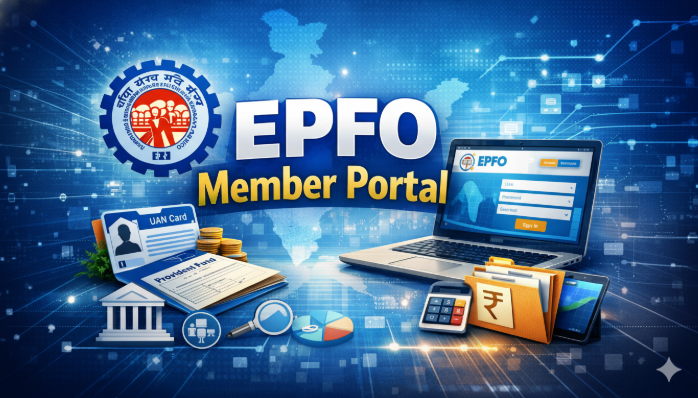
The EPFO Member Portal has transformed the way millions of Indian employees manage their provident fund accounts. Launched by the Employees’ Provident Fund Organisation, this digital platform empowers salaried individuals to access their EPF accounts anytime, anywhere. Gone are the days when employees had to visit EPFO offices physically and stand in long queues for simple tasks like checking balances or downloading passbooks.
In this comprehensive guide, we will walk you through everything you need to know about the EPFO Member Portal — from registration and login to key features and benefits.
What Is the EPFO Member Portal?
The EPFO Member Portal is an official online platform developed by the Employees’ Provident Fund Organisation under the Ministry of Labour and Employment, Government of India. It is designed exclusively for EPF members — employees who contribute a portion of their salary to the Employee Provident Fund scheme every month.
Through this portal, members can perform a wide range of activities such as viewing their EPF passbook, checking contribution details, submitting transfer claims, withdrawing funds, updating KYC information, and much more. The portal is accessible at unifiedportal-mem.epfindia.gov.in and serves as a one-stop destination for all provident fund-related services.
The portal ensures transparency, reduces paperwork, and gives employees full control over their retirement savings without depending on their employers or HR departments.
How to Register and Access the EPFO Member Portal
Before you can use the EPFO Member Portal, you must complete a simple registration process. To register, you need your Universal Account Number (UAN), which is a 12-digit unique number assigned to every EPF member. Your employer usually provides this number when you join the organization.
Here are the steps to register on the portal:
- Visit the EPFO Member Portal website.
- Click on the “Activate UAN” option on the homepage.
- Enter your UAN, Aadhaar number, name, date of birth, and mobile number.
- Verify the OTP sent to your registered mobile number.
- Once verified, you will receive your login credentials via SMS.
After successful registration, you can easily perform your Epfo Login using your UAN and password. The login process is straightforward — simply enter your UAN, password, and the captcha code displayed on the screen. Once logged in, you gain full access to all the features and services available on the portal. It is recommended to keep your login credentials safe and change your password periodically to ensure account security.
Key Features and Services of the EPFO Member Portal
The EPFO Member Portal offers a rich set of features that make provident fund management effortless. Here are the most important services available:
1. View EPF Passbook
Members can view and download their EPFO passbook, which contains a detailed record of all monthly contributions made by both the employee and the employer. This helps in tracking savings growth over time.
2. Claim Submission (Online Withdrawal & Transfer)
One of the biggest advantages of the portal is the ability to submit withdrawal and transfer claims online. Whether you want to make a partial withdrawal for medical emergencies, home loans, or education, or you want to transfer your EPF balance from a previous employer, everything can be done digitally.
3. KYC Update
Members can link and verify their Aadhaar, PAN, bank account, and other identity documents directly through the portal. Proper KYC compliance is necessary for processing claims smoothly.
4. Track Claim Status
After submitting a claim, members can track its real-time status on the portal. This eliminates uncertainty and keeps you informed about the progress of your request.
5. Download UAN Card
You can download your UAN card directly from the portal, which serves as an official identity document for your EPF account.
6. Nomination Update
Members can add or update their nominee details through the e-Nomination facility. This ensures that in case of any unfortunate event, the provident fund amount is transferred to the rightful beneficiary.
Benefits of Using the EPFO Member Portal
- 24/7 Accessibility — Access your account anytime from your computer or smartphone.
- Paperless Transactions — No need for physical forms or visits to EPFO offices.
- Faster Claim Processing — Online claims are processed much faster than offline submissions.
- Complete Transparency — View every transaction and contribution in real time.
- Secure Platform — Multi-layer authentication ensures your data remains protected.
Frequently Asked Questions (FAQs)
Q1: What Is The Uan, And Why Is It Important For The Epfo Member Portal?
Uan Stands For Universal Account Number. It Is A 12-Digit Unique Number Assigned To Every Epf Member. It Acts As A Permanent Identity For Your Epf Account And Is Essential For
Registering And Logging Into The Epfo Member Portal.
Q2: Can I Access The Epfo Member Portal From My Mobile Phone?
Answer: Yes, You Can Access The Epfo Member Portal Through Your Mobile Browser. Additionally, Epfo Has Launched The Umang App, Which Provides Similar Services In A Mobile-Friendly Format.
Q3: How Long Does It Take For An Online Epf Withdrawal Claim To Be Processed?
Answer: Generally, Online Epf Withdrawal Claims Are Processed Within 10 To 20 Working Days, Provided Your Kyc Details Are Verified And Approved By Your Employer.
Q4: What Should I Do If I Forget My Epfo Member Portal Password?
Answer: You Can Reset Your Password By Clicking On The “Forgot Password” Link On The Login Page. You Will Need To Enter Your Uan And Verify Your Identity Through An Otp Sent To Your Registered Mobile Number To Set A New Password.