

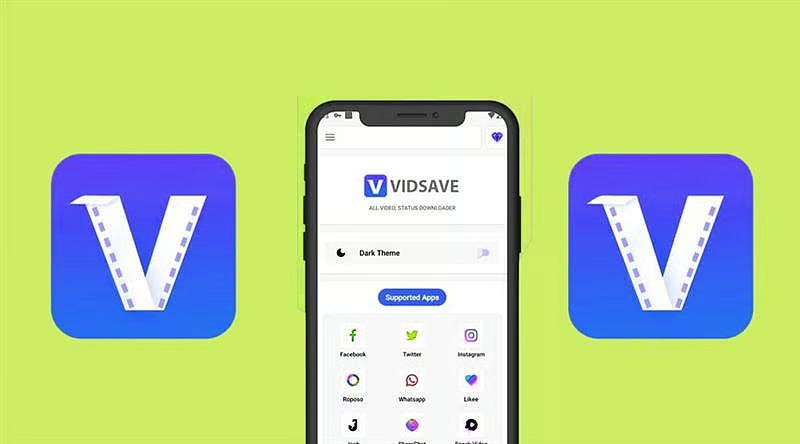
In today’s digital age, consuming video content has become second nature to many of us. Whether for educational purposes, entertainment, or just to pass the time, platforms like YouTube host a vast array of videos. However, there are times when you’d like to enjoy these videos offline—perhaps during a long flight or in areas with limited internet access. This is where VidsSave comes into play. It offers a simple and efficient way to download videos without the hassle of installing any additional applications on your device. With its user-friendly interface and wide compatibility with various video platforms, VidsSave eliminates the barriers usually associated with downloading online videos.
In this blog post, we’ll explore how to use VidsSave for your YouTube video download effortlessly. By following this guide, you’ll get to know each step involved while also understanding the advantages of using VidsSave over traditional download methods. So, if you’re curious about how to quickly save your favorite YouTube videos for offline viewing, stick around as we dive into the details.
Understanding VidsSave
VidsSave is an online video and music downloader that provides users with a seamless way to download media from various websites, including YouTube, Instagram, Facebook, and Twitter. What sets VidsSave apart is its completely online functionality, meaning you don’t need to install any software on your device. This makes it an excellent option for individuals who may not have the hardware to support additional applications or for those who prefer not to clutter their devices with software.
To get started with downloading using VidsSave, you first need the link to the YouTube video you wish to download. Simply navigate to YouTube, find the video, and copy its URL. Once you have the link, head over to the youtube video download page on the VidsSave website. Here, you’ll discover an easy interface designed to assist you in obtaining your desired video quickly and efficiently.
Step-by-Step Guide to Downloading Videos
The process of downloading a YouTube video through VidsSave is incredibly straightforward. After copying the video link from YouTube, navigate to the VidsSave website. Paste the copied URL into the designated field on the site.
Once you have entered the URL, click on the “Download” button. VidsSave will then analyze the video link to retrieve the available download options. This typically includes various resolutions and formats, allowing you to select the one that suits your needs best. For instance, if you’re looking for a high-definition version, you can select the corresponding option.
After choosing your desired format and resolution, click on the final “Download” button, and your video will begin downloading automatically. It’s as simple as that! You will find your downloaded video stored in your device’s default download location, easily accessible whenever you want to watch it offline.
Advantages of Using VidsSave
One of the foremost advantages of using VidsSave is its compatibility with multiple platforms beyond just YouTube. Whether you’re interested in downloading videos from Instagram, Facebook, or Twitter, VidsSave provides a one-stop solution for all your media downloading needs.
Another crucial benefit is its user-friendliness. You do not need to navigate complicated software or deal with misleading advertisements that often plague other downloader apps. Its clean and intuitive interface ensures that even those not tech-savvy can easily download videos without hassle.
Lastly, the security aspect of using an online downloader like VidsSave is noteworthy. Since you aren’t downloading additional software, you eliminate the risks often associated with third-party applications, such as malware or other forms of security vulnerabilities. This peace of mind makes VidsSave a reliable option for anyone looking to save videos.
Supported Video Formats and Quality Options
VidsSave offers an impressive range of video formats and quality options to suit varying user preferences. Commonly, users can choose from popular formats like MP4, AVI, and even audio formats like MP3 if they are interested in music videos. The ability to select the necessary format and resolution helps cater to specific requirements, whether you’re saving space on your device or want the best visual and audio quality possible.
Higher resolution downloads, such as 1080p or 4K, may be available depending on the source video’s quality. Always take a moment to check the available options before commencing the download. This flexibility allows users to tailor their downloads according to their devices’ capabilities, ensuring optimal playback experience.
FAQs
- Is VidsSave free to use?
Yes, VidsSave is completely free to use. There are no hidden fees or charges associated with downloading videos. - Can I download videos in different formats?
Absolutely! VidsSave lets you choose from various formats and quality options, such as MP4, AVI, and MP3. - Is there a limit to how many videos I can download?
There are generally no restrictions on the number of videos you can download, making it easy to save as many as you wish. - Can I use VidsSave on my smartphone?
Yes, VidsSave is accessible on mobile browsers, allowing you to download videos on your smartphone as easily as you would on a PC. - What do I do if a video doesn’t download?
If you encounter issues, double-check the video URL to ensure it’s correct. Additionally, ensure that your internet connection is stable.
Final Thoughts
In summary, VidsSave is a fantastic tool for anyone looking to download YouTube videos and other online media without the complications of installing software. Its straightforward interface, compatibility with multiple platforms, and high-quality download options make it a favored choice among users. Whether you’re at home, on a trip, or anywhere with limited internet access, having your favorite videos available offline can enhance your viewing experience extensively. Simple to use and entirely free, VidsSave stands out as an efficient solution for downloading online videos, inviting you to explore the world of offline media.